
- This topic is empty.
-
AuthorPosts
-
24/07/2026 at 15:05 #98982
The Challenge of Powering an ONT and a Router During Outages
Fiber broadband and telecom networks depend on two devices working together at the customer premises: the ONT (Optical Network Terminal) that receives the fiber signal and the router that distributes internet access to the home or office. When grid power fails, drops in voltage, or an adapter momentarily disconnects, both devices can reboot at the same time. This double reboot is often worse than a single device failure because it takes longer for the connection to re-establish, increases customer complaints, and adds unnecessary field support workload for telecom operators, Internet Service Providers, and broadband network companies.
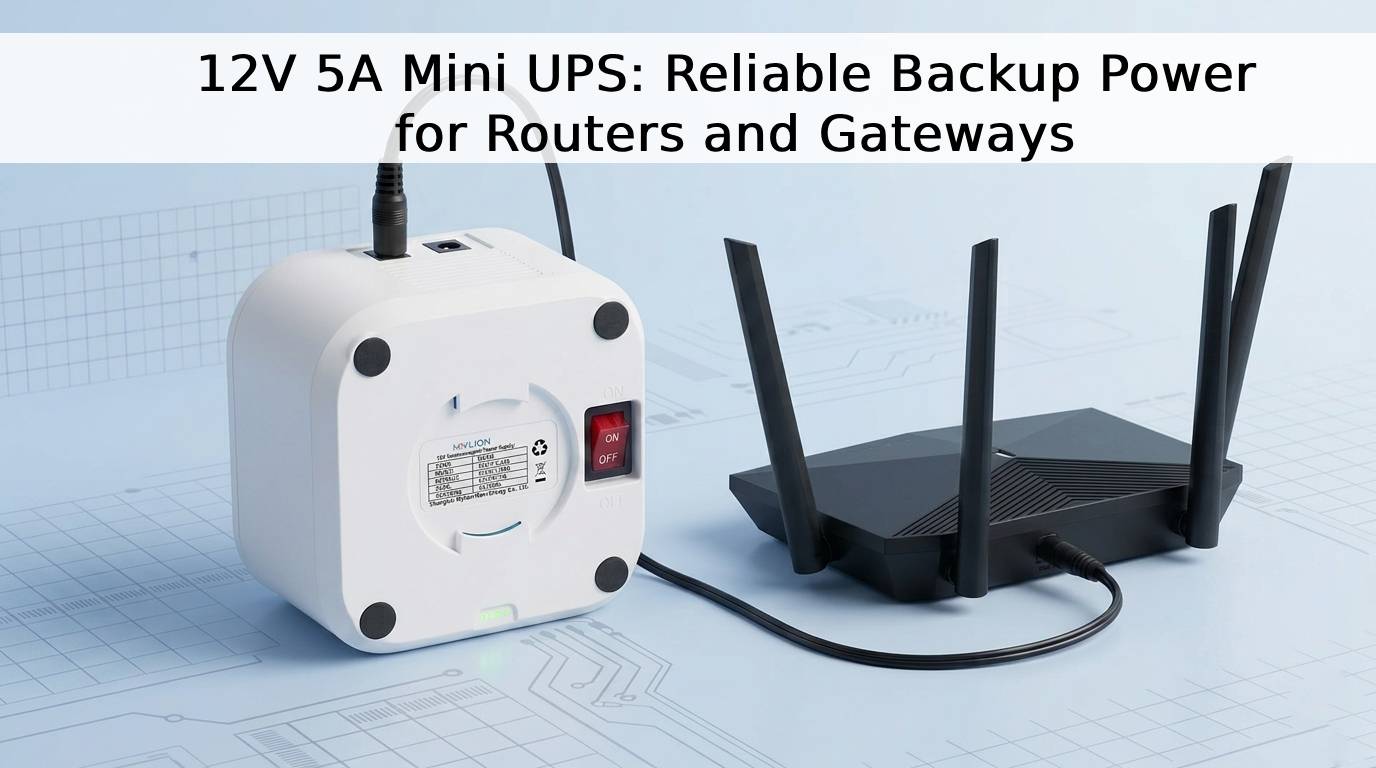
A natural question follows: can one Mini UPS safely power both the ONT and the router at the same time, instead of installing two separate backup units? The answer depends on how carefully the backup power unit is matched to the real electrical requirements of both devices — not just their labeled adapter ratings.
Understanding Real Device Requirements Before Selecting a Mini UPS
Voltage, Current, and Connector Matching
Most ONTs and routers used in fiber broadband deployments run on 12V DC, which makes them compatible in principle with a single 12V Mini DC UPS output. However, voltage compatibility alone is not enough. Each device draws its own working current, and if both devices are connected to the same output, the Mini UPS must be able to supply the combined current safely, without exceeding its rated capacity or triggering unnecessary protection cutoffs.
Connector type also matters. ONTs, routers, modems, gateways, and CPE devices frequently use different barrel connector sizes or polarities. Safely powering two devices from one Mini UPS often requires confirming connector compatibility for each device, or using a properly matched splitter or dual-output configuration rather than forcing an incompatible connection.
Startup Surge and Peak Load Considerations
Beyond steady-state current, both ONTs and routers can draw a brief startup surge when they power on or reconnect after an outage. If two devices restart at the same moment — which is common right after a power interruption — the combined surge current can be significantly higher than the combined steady-state current. A Mini UPS that is only sized for normal operating current, without accounting for this surge, may shut down or fail exactly when backup power is needed most.
Why a Single Mini UPS Can Safely Support Both an ONT and a Router
Multi-Output and High-Current Options
For customers who need to back up more than one device from a single unit, MYLIONTECH.COM includes multi-output Mini UPS models specifically positioned for mixed-voltage applications. This product category is designed for scenarios where an ONT and a router — or similar CPE devices — need to be powered together without deploying separate backup units for each device.
In cases where combined current demand is higher than what a standard low-current Mini UPS can support, Shanghai Mylion New Energy Co., Ltd. offers its High-Power 12V Telecom BBU Series, including the MU35 and MU65 models. These are designed for advanced gateways, higher-power routers, WiFi gateways, and broadband CPE that require stronger output capability than standard models. Before confirming a model for a two-device setup, MYLION recommends evaluating the actual working current, peak current, adapter rating, and load behavior of both the ONT and the router together, rather than relying only on the printed adapter label.
Battery Protection and BMS Safety Systems
Safety is not only about matching voltage and current — it also depends on how the battery itself is protected. MYLION’s Mini DC UPS and BBU products are built with lithium-ion or LiFePO4 battery packs and integrated BMS (Battery Management System) protection against overcharge, over-discharge, overcurrent, and short circuit conditions. This protection layer is particularly important when a single unit is supporting two connected devices, since it reduces the risk of unsafe overload conditions if the combined load approaches the unit’s rated limits.
A Practical Approach to Safe Two-Device Deployment
Telecom operators, ISPs, and system integrators looking to power an ONT and a router from one Mini UPS can follow a structured evaluation process, which reflects MYLION’s own project-based model selection approach:
- Confirm the actual voltage requirement of both the ONT and the router, not just the adapter’s printed voltage.
- Measure or estimate the real working current of each device individually.
- Add the working currents together to determine the combined load, and compare this against the Mini UPS unit’s rated output.
- Account for simultaneous startup surge if both devices are likely to power on or reconnect at the same time after an outage.
- Confirm connector compatibility for both devices, including whether a matched splitter or dual-output cable configuration is required.
- Define the required backup time target based on the combined load, since higher combined current will reduce runtime compared to powering a single device.
- Test the selected model with the actual ONT and router hardware before mass deployment, rather than relying solely on datasheet assumptions.
This process mirrors the way MYLION supports its telecom and ISP customers: through requirement analysis, model selection, sample testing, technical confirmation, and production, rather than offering a one-size-fits-all product.
MYLION’s Product Lineup for ONT and Router Backup
For customers evaluating a single-unit solution, MYLION’s product matrix offers several relevant options. The 12V Standard Mini DC UPS Series (MU68, MU26, MU48) is built for mainstream networking devices including routers, ONTs, modems, gateways, and CPE devices, with built-in lithium battery packs and BMS protection. For installations where space near the ONT or fiber terminal box is limited, the Inline FTTH Mini UPS Series (MUJ46) offers an ultra-compact, inline DC backup design that connects between the original power adapter and the device. For higher-load combinations, the High-Power 12V Telecom BBU Series (MU35, MU65) provides additional current headroom. MYLION also offers 24V/48V DC Backup Power (MU248), USB-C PD backup power (MUC85), and a LiFePO4 Mini UPS Series (ML1202AC) for customers prioritizing longer cycle life and enhanced battery safety.
Certification, Documentation, and Long-Term Reliability
Because ONT and router backup often supports mass telecom or ISP deployment, documentation matters as much as electrical matching. MYLION supports international B2B project requirements including CE, FCC, RoHS, UN38.3, and MSDS documentation depending on the specific model and project, along with product specifications, test reports, user manuals, and labeling files. Certification availability and scope may vary by model and final configuration, so MYLION recommends confirming certification scope according to the approved project version.
Conclusion
Safely powering an ONT and a router from one Mini UPS is achievable when voltage, combined current, startup surge, connector compatibility, and battery protection are all properly evaluated together — not treated as separate afterthoughts. With over 13 years of experience in lithium battery packs, Mini UPS, and DC backup power development, Shanghai Mylion New Energy Co., Ltd., under the MYLION brand, supports telecom operators, ISPs, broadband providers, and system integrators through project-based model selection, sample testing, OEM/ODM customization, and long-term supply reliability for exactly this kind of subscriber-side backup power challenge.
http://www.myliontech.com
Shanghai Mylion New Energy Co.,Ltd. -
AuthorPosts

- You must be logged in to reply to this topic.